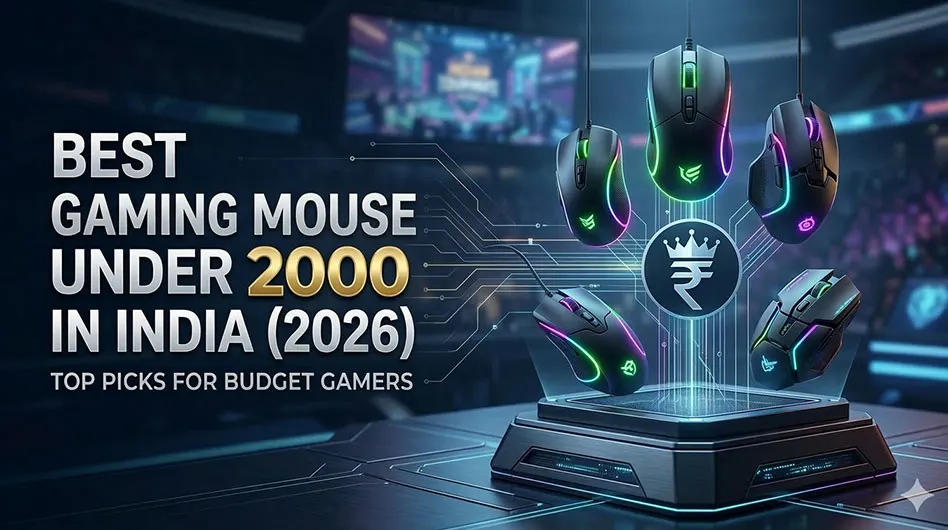
Finding the perfect gaming mouse when you’re on a budget can feel like trying to hit a headshot with 300ms ping—frustrating and almost impossible. In the Indian market, the sub-₹2000 segment is flooded with options that look like they belong in a sci-fi movie but perform like an old office mouse from 2005.
The problem? Most budget mice have “spin-out” issues, where the sensor loses track during fast flicks in games like Valorant or CS2. The solution? Identifying the gems that offer genuine gaming-grade sensors, reliable switches, and comfortable ergonomics without breaking the bank.
In this guide, we’ve rounded up the best gaming mice under 2000 in India for 2026 to help you level up your setup.
Disclosure: This article contains affiliate links. As an Amazon Associate, we earn from qualifying purchases at no extra cost to you.
| Model | Connection | Max DPI | Best For | Price Link |
| Logitech G102 Lightsync | Wired | 8,000 | Competitive FPS | Check Price on Amazon |
| Razer DeathAdder Essential | Wired | 6,400 | Large Hands/Palm Grip | Check Price on Amazon |
| Cosmic Byte Kilonova 3325 | Wired | 10,000 | Customizable Shell | Check Price on Amazon |
| Redragon M711 Cobra | Wired | 10,000 | MMO/Macro Users | Check Price on Amazon |
| Kreo Hawk | Wired | 12,400 | High DPI & Build Quality | Check Price on Amazon |
| Ant Esports GM320 | Wired | 12,800 | Budget RGB Lovers | Check Price on Amazon |
| Zebronics Zeb-Transformer M | Wired | 3,200 | Ultra-Budget | Check Price on Amazon |
Detailed Reviews: The Best 6 Gaming Mice Under 2000
1. Logitech G102 Lightsync (The Gold Standard)
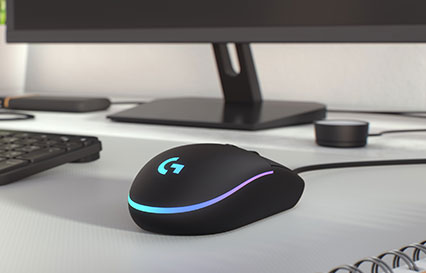
The Logitech G102 has been the king of the budget segment for years, and in 2026, it remains the most reliable pick. It features a classic “egg” shape that works for almost everyone.
- Best For: FPS games (Valorant, CS2) and small-to-medium hands.
- Pros: Flawless sensor tracking, excellent “Lightsync” RGB, and top-tier software (G Hub).
- Cons: Known for developing double-click issues after long-term heavy use.
2. Razer DeathAdder Essential (The Ergonomic Legend)
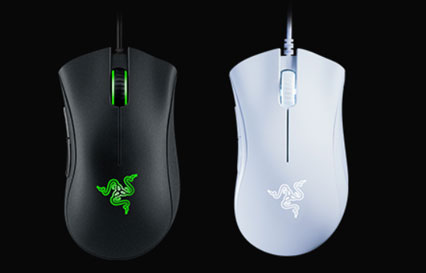
If you find most mice too small, the DeathAdder Essential is your best friend. It carries the legendary DeathAdder shape used by pro gamers worldwide.
- Best For: Palm grip users and gamers with large hands.
- Pros: Extremely comfortable, tactile side buttons, and a very durable build.
- Cons: No RGB customization (fixed green LED) and a slightly stiff cable.
3. Cosmic Byte Kilonova 3325IC (The Customizer)
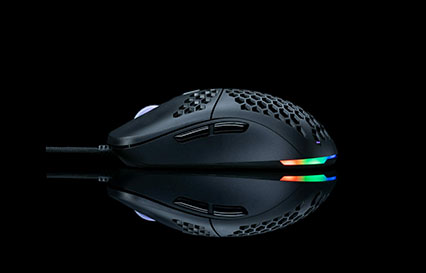
Cosmic Byte is a homegrown hero in the Indian market. The Kilonova series offers a modular design where you can swap the top shell to change the look and feel.
- Best For: Gamers who want a personalized look.
- Pros: Comes with a PixArt 3325 sensor (great for budget), paracord-like cable, and swappable shells.
- Cons: Software can be a bit clunky compared to Logitech or Razer.
4. Redragon M711 Cobra (The Macro Master)
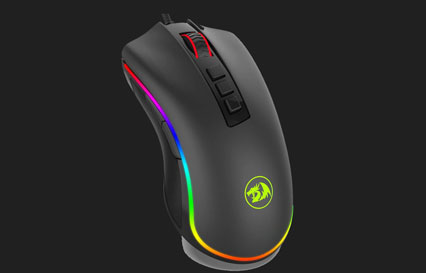
With 7 programmable buttons and a comfortable wider grip, the Cobra is a versatile beast that works well for both gaming and productivity.
- Best For: MMO/MOBA players and those who need extra side buttons.
- Pros: Professional-grade switches (10 million clicks), great RGB lighting effects.
- Cons: A bit on the heavier side compared to modern ultra-light trends.
5. Kreo Hawk (The New Challenger)
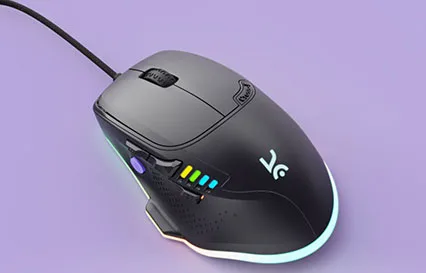
Kreo is a rising star in India’s gaming scene. The Hawk features a high-end sensor for this price point and a design that feels much more expensive than it is.
- Best For: Gamers looking for high DPI and a modern aesthetic.
- Pros: High DPI ceiling (12,400), great RGB implementation, and solid clicks.
- Cons: Brand is still relatively new, though gaining trust quickly.
6. Ant Esports GM320 (The Feature-Packed Budget Choice)
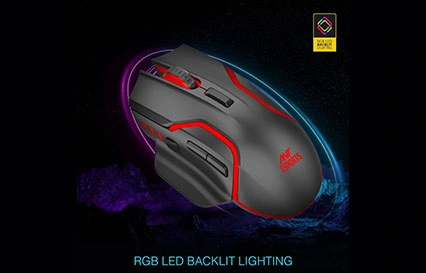
Ant Esports has mastered the art of providing high specs at low prices. The GM320 offers a high DPI range and a heavy-duty build that feels premium.
- Best For: Gamers who want a heavy, “tank-like” feel in their mouse.
- Pros: Good ergonomics for claw grip, high DPI ceiling, and bright RGB.
- Cons: The sensor is decent but not quite “flawless” for pixel-perfect aim.
7. Zebronics Zeb-Transformer-M (The Entry-Level Steal)
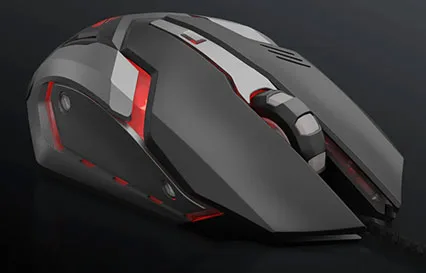
If your budget is extremely tight, this mouse provides the “gamer” aesthetic and basic functionality at a fraction of the cost of others on this list.
- Best For: Casual gamers and students on a strict budget.
- Pros: Braided cable, sturdy metal-like feel, and very affordable.
- Cons: Sensor is not suitable for high-level competitive play; it can spin out during fast moves.
2026 Gaming Mouse Buying Guide: What to Look For
Buying a budget gaming mouse in India requires you to look past the flashy lights. Here is the technical breakdown:
1. The Sensor (The Most Important Part)
The sensor is the heart of your mouse. In the sub-2000 range, you should look for:
- Optical Sensors: Always choose optical over laser.
- PixArt Models: Look for PMW3325 or PMW3327 sensors. These are the gold standard for budget mice as they don’t “spin out” when you move your hand quickly.
2. DPI (Dots Per Inch)
Don’t fall for the “20,000 DPI” marketing trap. Most pro gamers play between 400 and 1600 DPI. What matters more is DPI Switching—having a dedicated button to change sensitivity on the fly.
3. Polling Rate
The polling rate is how often the mouse reports its position to the PC.
- 125Hz: Basic office mice.
- 500Hz-1000Hz: Essential for gaming. Ensure your mouse supports a 1000Hz polling rate for a 1ms response time.
4. Weight and Grip Style
- Palm Grip: You need a larger, ergonomic mouse (e.g., Razer DeathAdder).
- Claw/Fingertip Grip: You need a smaller, symmetrical mouse (e.g., Logitech G102).
- Lightweight vs. Heavy: Modern trends favor mice under 80g for better control and less wrist fatigue.
5. Build Quality: Switches and Cables
- Switches: Look for Omron or Huano switches rated for 10M+ clicks.
- Cable: A “paracord” or soft braided cable is better than a stiff rubber one, as it reduces “cable drag” on your mousepad.
Frequently Asked Questions (FAQ)
Final Verdict: Which One Should You Buy?
Choosing the “best” depends on your hand and your game:
- For Serious Competitive FPS (Valorant/CS2): Go for the Logitech G102 Lightsync. Its sensor reliability is unmatched at this price.
- For Large Hands & Comfort: Choose the Razer DeathAdder Essential. It’s the most comfortable mouse you can buy under 2000.
- For the Best Value (Indian Brand): The Cosmic Byte Kilonova 3325 offers features (like the paracord cable) usually found in mice twice its price.
My Top Recommendation: If you have average-sized hands, the Logitech G102 Lightsync is still the safest and best-performing bet for 2026.