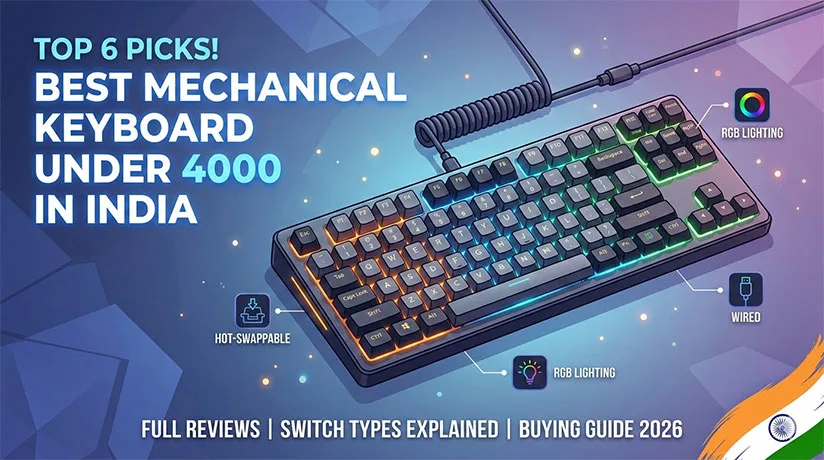
Finding the best mechanical keyboard under 4000 in India can feel like navigating a maze. With the rise of custom mechanical keyboards and “Hall Effect” (HE) technology reaching the budget segment, the Indian market in 2026 offers more value than ever before. Whether you are a professional typist or a competitive gamer, your choice of switch, build quality, and connectivity can make or break your experience.
In this guide, we break down the top contenders, explain the technical jargon, and help you find the perfect mechanical keyboard for typing and gaming.
Disclosure: This article contains affiliate links. As an Amazon Associate, we earn from qualifying purchases at no extra cost to you.
Quick Comparison Table
| Keyboard Model | Layout | Switch Options | Connectivity | Key Feature | Price Link |
|---|---|---|---|---|---|
| Ajazz AK680 Max | 65% | Magnetic (HE) | Wired | Rapid Trigger & Adjustable Actuation | Check Price On Amazon |
| Redragon K616 Fizz Pro | 60% | Red (Linear) | Tri-Mode (BT/2.4G/Wired) | Best Wireless Value | Check Price On Amazon |
| VGN V87 | TKL (80%) | Linear/Tactile | Wired/Wireless | Premium Sound & Build | Check Price On Amazon |
| Zebronics Max Pro V2 | Full-Size | Blue (Clicky) | Wired | Solid Build & Side LED | Check Price On Amazon |
| Cosmic Byte Firefly | TKL (80%) | Red/Blue | Wired | Per-Key RGB (Software) | Check Price On Amazon |
| EvoFox Ronin | TKL (80%) | Brown (Tactile) | Wireless/Wired | Great for Office + Gaming | Check Price On Amazon |
Top 6 Best Mechanical Keyboards Under 4000 in India (2026)
1. Ajazz AK680 Max (Best for Competitive Gaming)
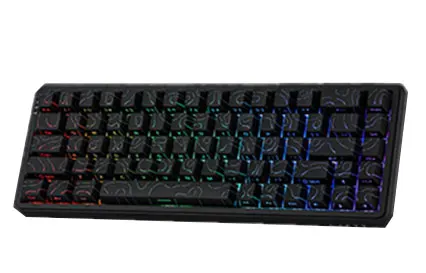
The Ajazz AK680 Max has revolutionized the budget segment by introducing Hall Effect (Magnetic) switches. Unlike traditional mechanical switches, these allow you to customize the actuation point—the distance a key travels before it registers.
- Pros: Rapid Trigger (perfect for Valorant/CS2), zero debounce delay, extremely fast.
- Cons: 65% layout might feel cramped for some; wired only.
- Best For: Hardcore FPS gamers.
2. Redragon K616 Fizz Pro (Best Wireless Budget Keyboard)
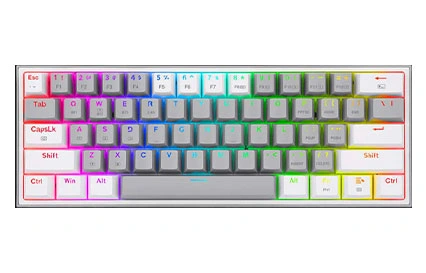
If you want a clean, wire-free desk, the Redragon K616 Fizz Pro is the gold standard for a budget mechanical keyboard for gaming. It offers Tri-mode connectivity (Bluetooth, 2.4GHz wireless, and USB-C).
- Pros: Hot-swappable switches, slim 60% design, great battery life.
- Cons: Plastic body feels slightly lightweight; no arrow keys on some layers.
- Best For: Minimalist setups and students.
3. VGN V87 (Best Sound and Typing Feel)
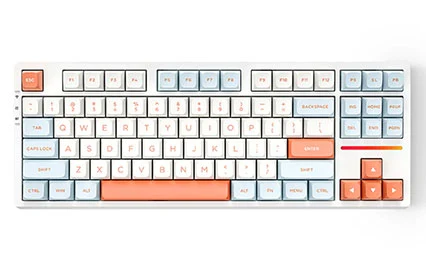
The VGN V87 has gained a cult following in the Indian enthusiast community. It focuses on the “thocky” sound profile that most budget boards miss.
- Pros: Gasket-like mounting, pre-lubed switches, high-quality PBT keycaps.
- Cons: Availability can be limited to niche sites like Meckeys.
- Best For: Users who prioritize a premium typing experience.
4. Zebronics Zeb-Max Pro V2 (Best Full-Size Keyboard)
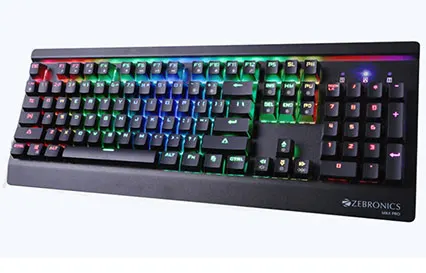
For those who can’t live without a Numpad, the Zebronics Max Pro V2 is a tank. It’s a full-sized best mechanical keyboard under 4000 in India that is built to last.
- Pros: Heavily weighted metal top plate, dedicated media keys, vibrant side-panel RGB.
- Cons: Blue switches are very loud; thick non-detachable cable.
- Best For: Data entry, accounting, and casual gaming.
5. Cosmic Byte CB-GK-18 Firefly (The Popular Choice)
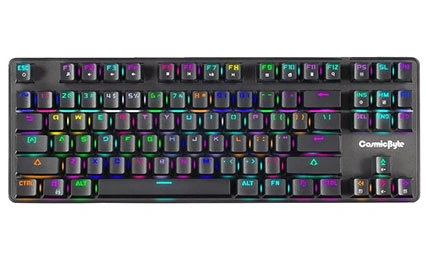
Cosmic Byte is a household name in India. The Firefly TKL is arguably the most sold mechanical keyboard in the country due to its balance of price and performance.
- Pros: Per-key RGB customization via software, compact TKL layout, very affordable.
- Cons: Outemu switches can occasionally fail after 1-2 years; ABS keycaps shine over time.
- Best For: First-time buyers on a strict budget.
6. EvoFox Ronin TKL (Best Hybrid for Work & Play)
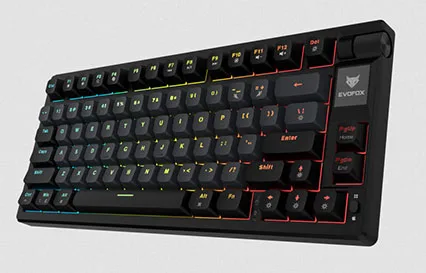
The EvoFox Ronin is designed for the user who works by day and games by night. It often comes with Brown switches, which provide a tactile bump without the deafening “click” of Blue switches.
- Pros: Ergonomic design, decent wireless stability, elegant RGB.
- Cons: Software is a bit basic.
- Best For: Professional environments.
Understanding Mechanical Switches
When choosing a mechanical keyboard for typing and gaming, the “switch” is the most important component.
Red Switches (Linear)
- Feel: Smooth and consistent from top to bottom.
- Sound: Quiet.
- Best For: Gaming. Since there is no “bump,” double-tapping keys is faster.
Blue Switches (Clicky)
- Feel: Tactile bump with an audible “click” sound.
- Sound: Loud.
- Best For: Typing. The feedback confirms you’ve pressed the key. Avoid these in quiet offices!
Brown Switches (Tactile)
- Feel: A slight physical bump but no loud click.
- Sound: Moderate.
- Best For: Hybrid use. It’s the “middle ground” switch.
Wired vs. Wireless: Which Should You Choose?
| Feature | Wired | Wireless (2.4GHz / BT) |
| Latency | Near zero; best for gaming. | Low (2.4GHz) to Moderate (BT). |
| Convenience | No battery worries. | Portable; clean desk aesthetics. |
| Price | Generally cheaper. | More expensive due to batteries/chips. |
Pro Tip: If you are a competitive gamer, always look for 2.4GHz Wireless (via a USB dongle) rather than just Bluetooth, as Bluetooth has noticeable lag in games.
Key Features Explained
1. Build Quality
Under ₹4000, you will mostly find plastic (ABS) builds. However, some brands like Redragon or Zebronics include a metal top plate, which adds weight and prevents the keyboard from sliding during intense gaming sessions.
2. RGB Lighting
While “Rainbow” lighting stays in fixed colors, “True RGB” allows you to change every key’s color. Look for keyboards with software support so you can sync your lighting with your PC setup.
3. N-Key Rollover (NKRO) & Anti-Ghosting
This ensures that no matter how many keys you press at once, every single one is registered. This is vital for complex gaming maneuvers or fast typing.
Buying Guide: How to Choose?
- Identify your Layout: Do you need a Numpad (Full-size) or more desk space (TKL or 60%)?
- Pick your Switch: If you love the noise, go Blue. If you want speed, go Red.
- Check for Hot-Swappability: This allows you to pull out a broken switch and plug in a new one without soldering. It significantly increases the keyboard’s lifespan.
- Warranty: Ensure the brand has service centers in India. Brands like Cosmic Byte and Zebronics have better local reach than imported niche brands.
Frequently Asked Questions (FAQ)
Yes. Mechanical keyboards offer better durability (50M+ clicks), better tactile feedback, and are much easier to clean and customize.
Most will work for basic typing, but ensure the keyboard has a “Mac Mode” if you want the Command and Option keys to function correctly.
It means you can change the mechanical switches yourself using a small tool. It’s great for trying different switch types without buying a new keyboard.
Final Recommendation
- For the Absolute Best Performance: Go with the Ajazz AK680 Max. Magnetic switches at this price point are a steal.
- For a Wireless Clean Setup: The Redragon K616 Fizz Pro is your best bet.
- For General All-Rounder Use: The Cosmic Byte Firefly remains the safest and most reliable entry-level choice in India.